
Draw Car 3D cover art

3D

Draw Car 3D

Draw your own car on a sketch pad and race it through challenging 3D tracks in this creative puzzle-racer.

EasyBrowser · no downloadFree-form car drawing with physics-based 3D simulationTrack obstacles that test vehicle design choices

Game overview

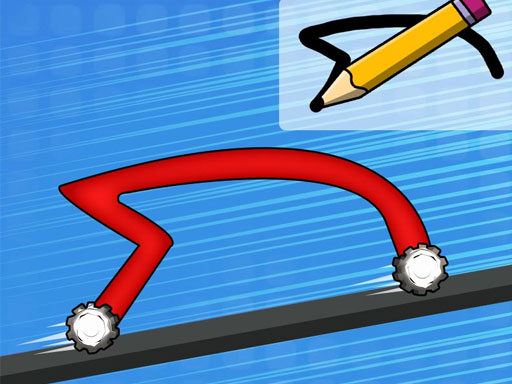
Draw Car 3D is a creative puzzle-racer where you design your own vehicle on a sketch pad and then watch it come to life in a fully three-dimensional race track. The drawing phase lets you shape the car body, wheel placement, and chassis design, each choice directly affecting how the vehicle handles the 3D terrain ahead. Steep ramps, bumpy hills, and gap jumps all test whether your custom design can maintain traction and balance. The 3D rendering shows your creation from dynamic angles as it navigates each challenge, making every race a unique experiment in vehicle engineering.

Best suited to creative players who enjoy designing vehicles and testing them in 3D physics challenges.

How to play Draw Car 3D

  1. Use the drawing tools to design a car shape on the sketch pad
  2. Position wheels and shape the chassis for optimal balance
  3. Launch your creation onto the 3D track and watch it navigate obstacles
  4. Adjust your design based on performance and retry with improvements

Controls

Mouse / Touch Draw
Draw car body shape on the sketch pad
Click Points
Place wheels at desired positions
Enter / Play Button
Start the race with your design

Objectives and failure conditions

Objectives

  • Design cars that can complete increasingly difficult 3D tracks
  • Unlock new levels by finishing each course
  • Experiment with different shapes to find optimal designs

The run ends when

  • Car flips over or gets stuck on terrain
  • Wheels detach or car body breaks apart on impact

Gameplay mechanics

  • Free-form car drawing with physics-based 3D simulation
  • Track obstacles that test vehicle design choices
  • Iterative design improvement through trial and error
  • Progressive level unlocking with varied terrain challenges

Device compatibility

Desktop

Supported

Playable in current desktop web browsers.
Mobile

Supported

Playable on current mobile browsers with touch controls.

Tablet

Supported

Playable on current tablet browsers with touch controls.

Tips for Draw Car 3D

  • Keep the car body low and wide for better stability on bumpy tracks
  • Place wheels further apart for improved balance on ramps
  • Simple designs often outperform complex ones — focus on function over style

What worked and what did not

Pros

  • Unique blend of drawing creativity and 3D physics racing
  • Every race feels different because your car design changes the outcome
  • Accessible to all ages with intuitive drawing controls

Cons

  • Physics can be unpredictable with unusual car shapes
  • Later levels may require very specific designs to pass

Player comments

No published comments yet. Be the first.